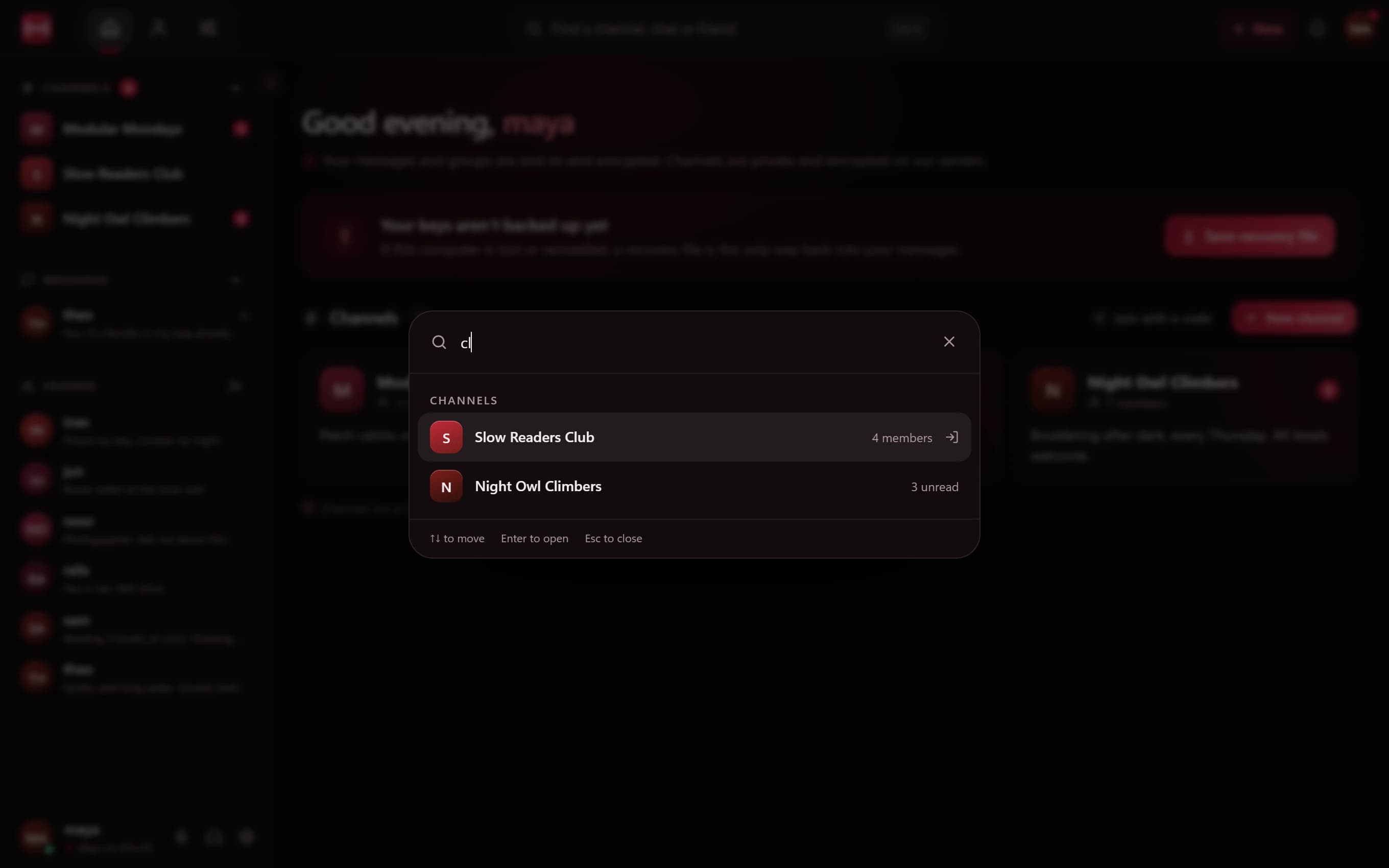
Ctrl+K: go anywhere
The quick switcher searches across your channels, chats, friends and settings at once. Start typing a name and the best matches rise to the top, so most jumps take two or three keystrokes.
It's the fastest way around Minamo once you have more than a couple of channels, and it never makes you leave the keyboard.
More than search
The switcher can also do things, not just find them. Type "theme", for example, to change your theme without opening Settings.
Ctrl+B: make room to read
When you want space for a long forum post or a busy conversation, press Ctrl+B to fold the sidebar away, and again to bring it back. Minamo remembers how you left it.
Shortcuts at a glance
The two to remember:
- Ctrl+K opens the quick switcher
- Ctrl+B collapses or expands the sidebar
A quick app for quick hands
Shortcuts only feel fast if the app keeps up. Minamo is a desktop app with a Rust core rather than a website in a wrapper, so it opens quickly and stays responsive. How Minamo stays light.
Questions
What is Minamo's quick switcher?
A search box you open with Ctrl+K. It finds channels, chats, friends and settings, and can run actions like changing the theme.
Can I hide the sidebar?
Yes. Press Ctrl+B to collapse it and again to bring it back. Minamo remembers your choice.
Can I change the theme from the keyboard?
Yes. Press Ctrl+K, type "theme" and choose Change theme.